Training and nutrition that adapt to your life.
Fyvorin plans your week of workouts and meals around your goals, equipment and schedule, guides you through every set and recipe, and adjusts when plans change.
 Steps and sleep with Health Connect
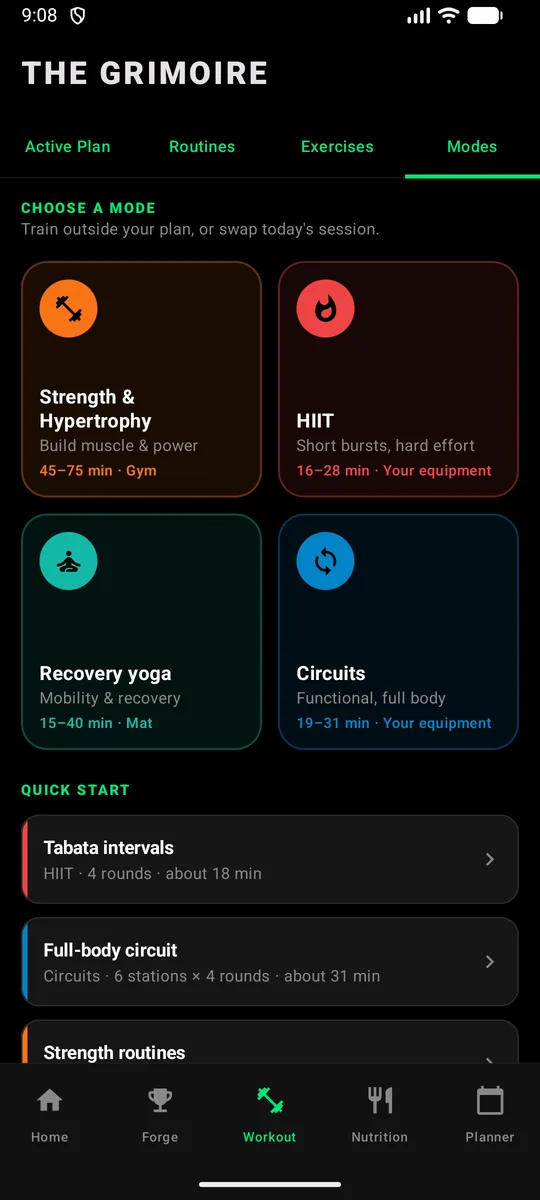
Four ways to train. One plan built around you.
From strength training to interval sessions, functional circuits, and guided recovery, Fyvorin brings your training into one connected experience.
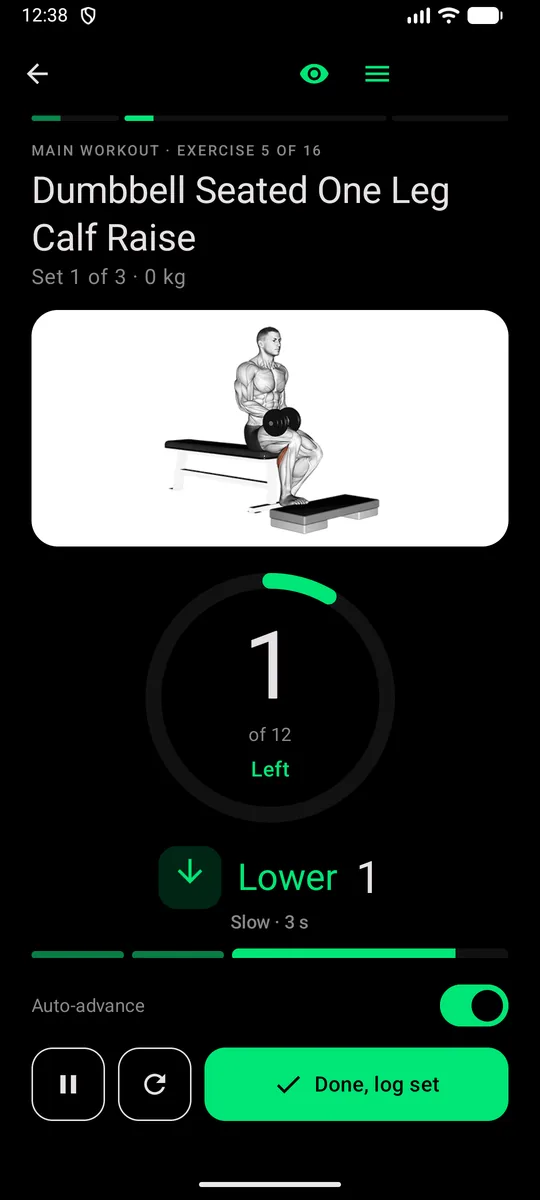
Strength & Hypertrophy
Structured sets, reps, load tracking, rest periods, and progressive training.
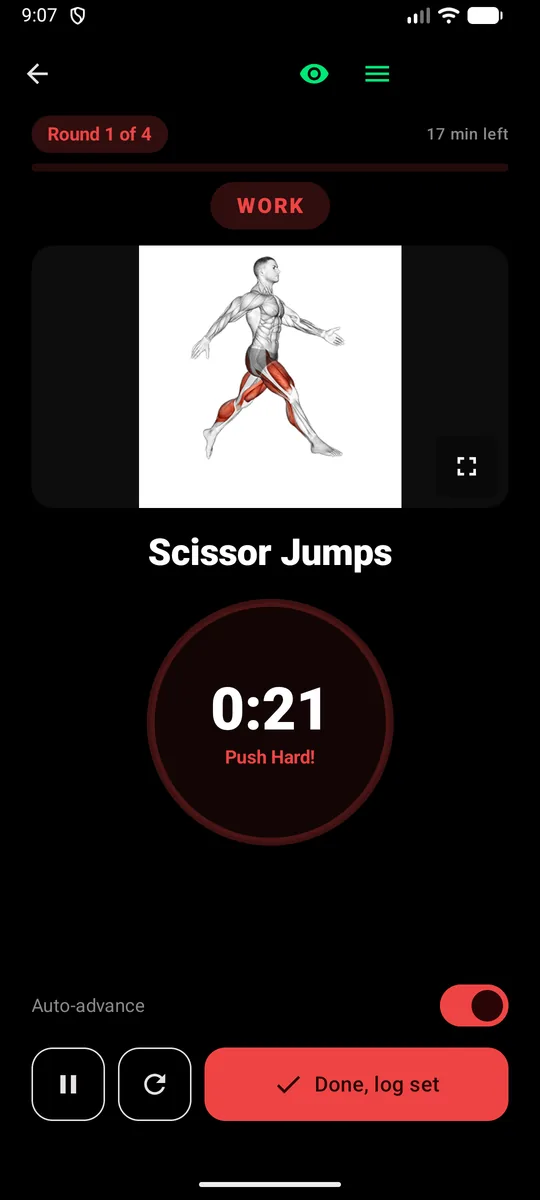
HIIT & Intervals
Timed work and recovery intervals with clear cues and round progress.
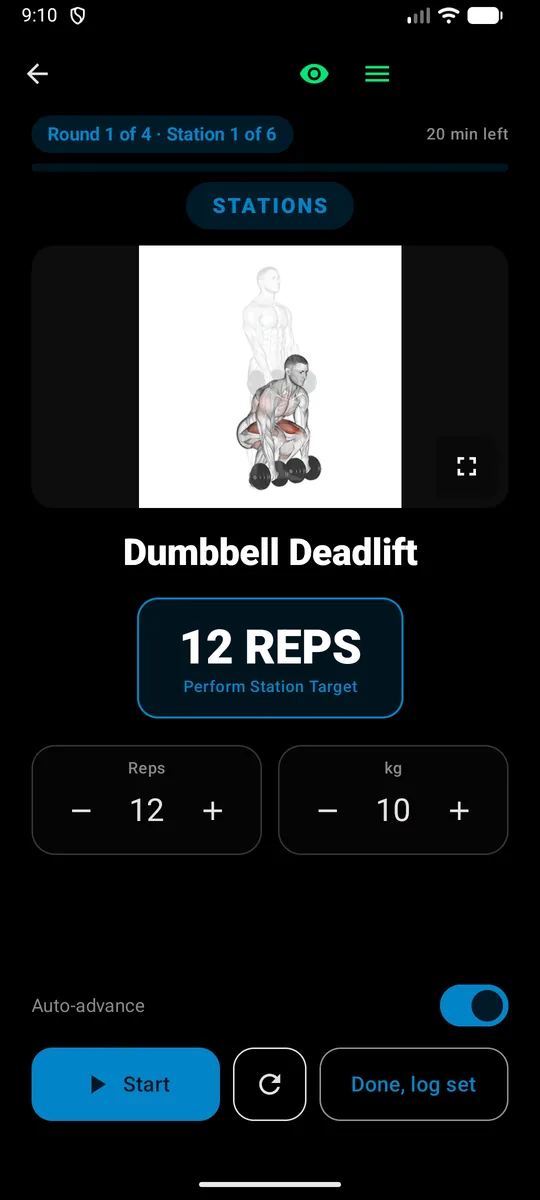
Functional Circuits
Move through stations and rounds with timed or repetition-based prescriptions.
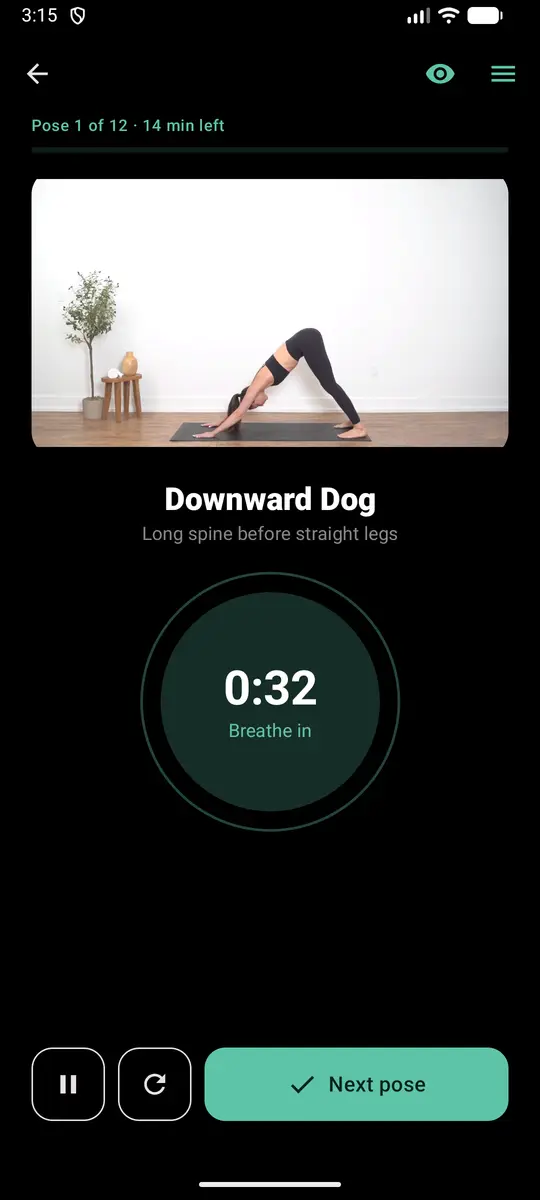
Recovery Yoga
Guided poses, timed holds, breathing cues, and side-aware transitions.
Or pick a mode for today.
The Modes tab starts a session in any of the four outside your plan, or swaps today's, with quick starts like Tabata intervals or a full-body circuit. Yoga also fits into your week as recovery.
How Fyvorin works
From a few questions to a plan you can actually follow.
Tell us about you
Goals, experience, the days you can train, your equipment, and any injuries or health considerations.
Get your week
A 7-day training plan and macro-balanced meals, built together so they fit each other.
Train & cook, guided
Workout Mode walks you through every set. Cooking Mode walks you through every step.
Check in & adapt
A quick check-in after each workout, a weekly review and the Oracle keep the plan in step with how your week really went.
Thousands of ways to train and eat.
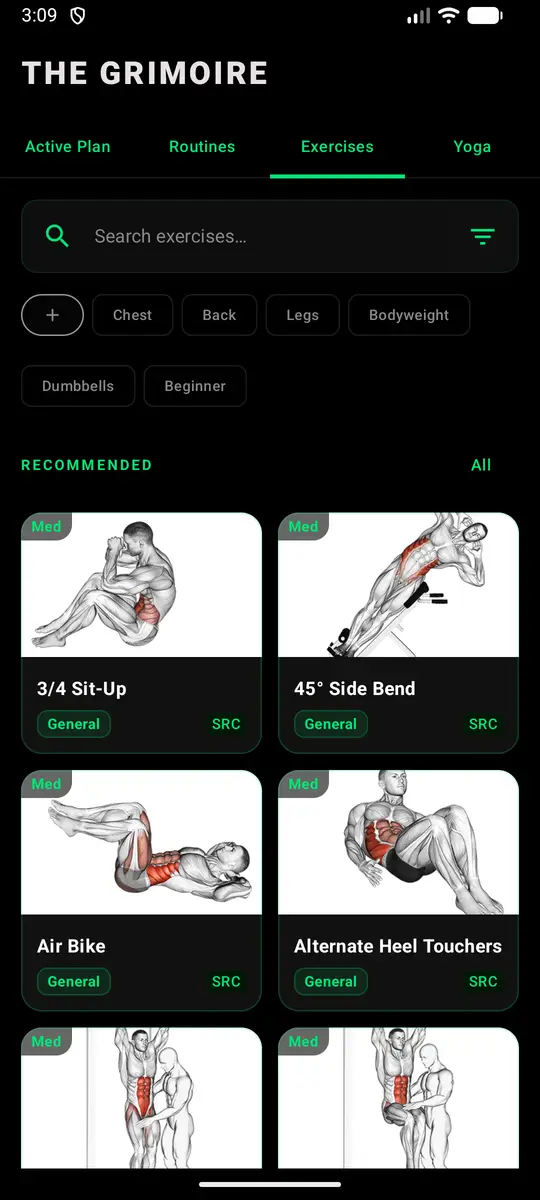
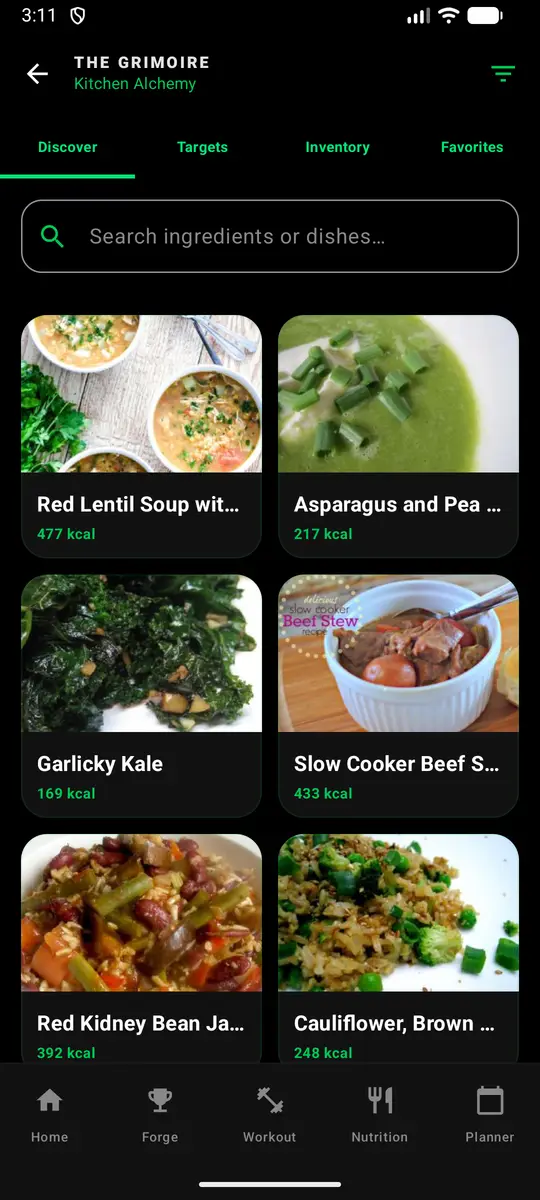
Your plan draws on a large, structured library, so the week you get fits your equipment, your diet and your taste, and swapping something out is always one tap away.
- Filter by muscle, equipment and level, or search by name
- Recipes with photos, calories and macros, sorted to fit your targets
- HD video guides for many exercises and every yoga pose
Coaching that adapts with you.
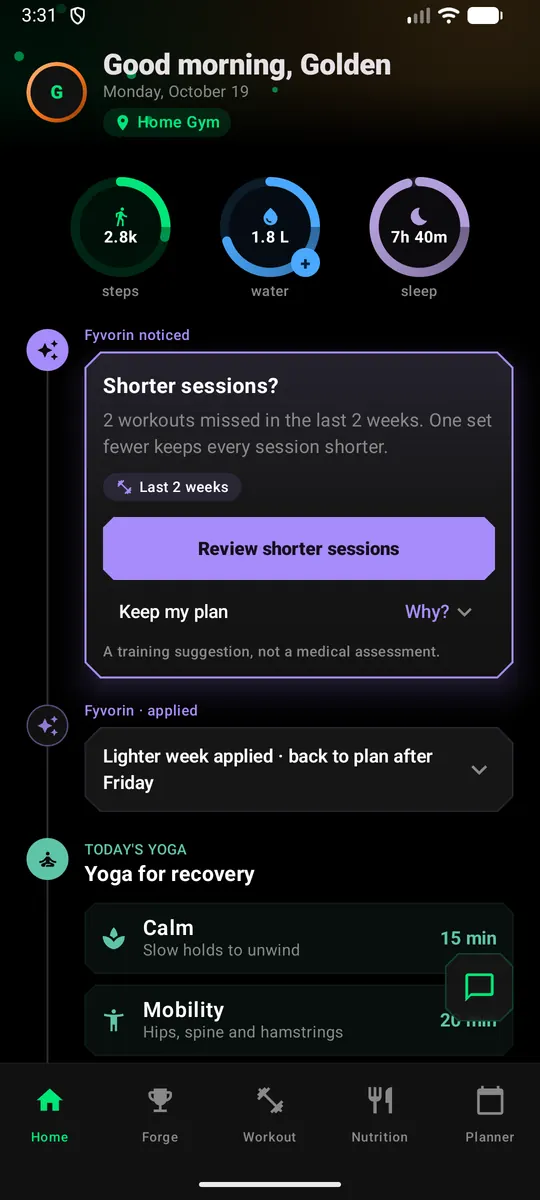
Fyvorin looks at your training, the food you log and available progress signals to help you understand when an adjustment may make sense. Every suggestion comes with an explanation, and you stay in control.
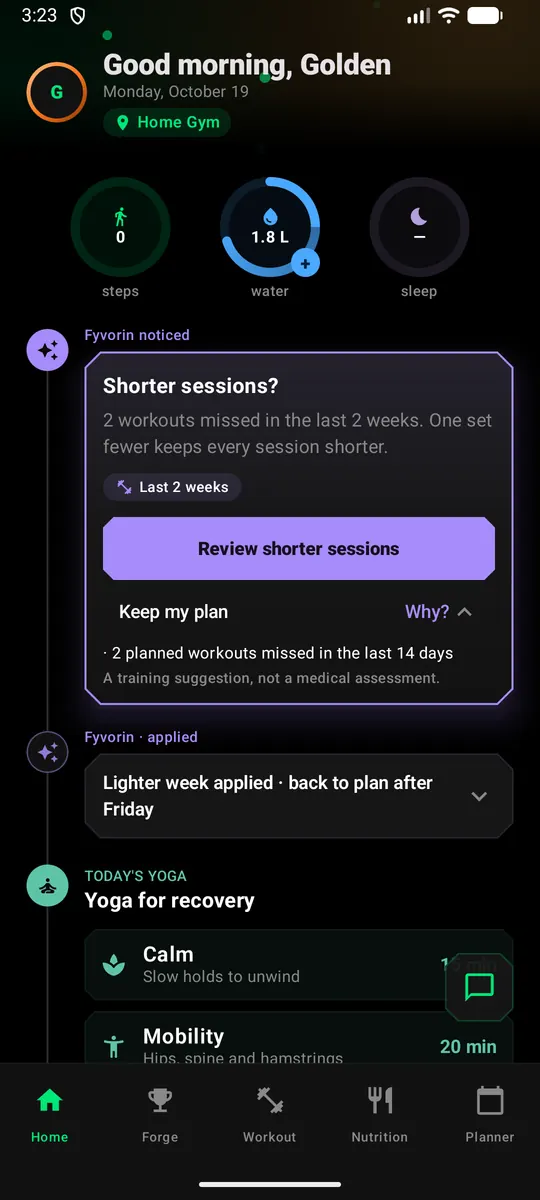
Notice what matters
Identify relevant patterns across your training and available progress signals.
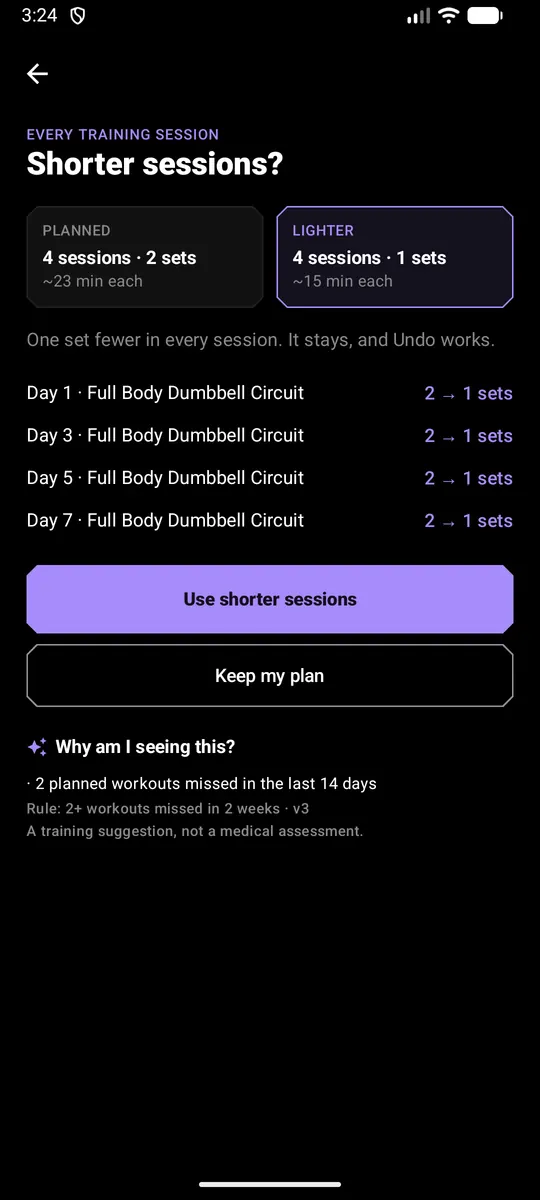
Understand the suggestion
See why an adjustment is recommended and what evidence supports it.
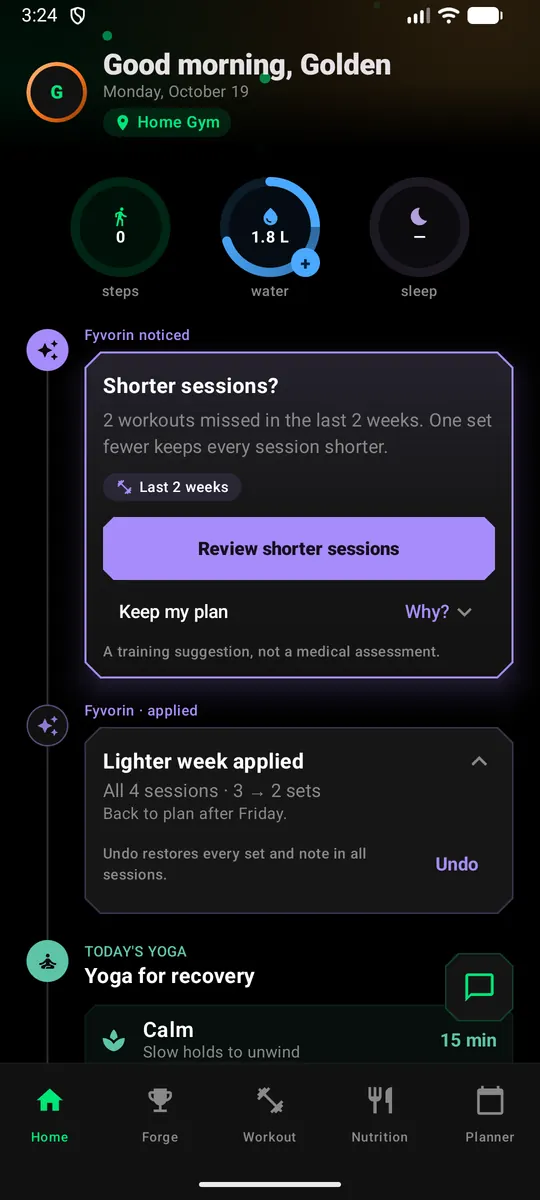
Stay in control
Review suggestions before applying them, then keep tracking your progress.
Food, too.
From what you log, your coach can spot a pattern, like protein under your target, and offer options for one planned meal; you pick. A meal you keep choosing can go on your plan's other days in one step, with Undo. Your weekly review puts training and food side by side, without claiming one caused the other.
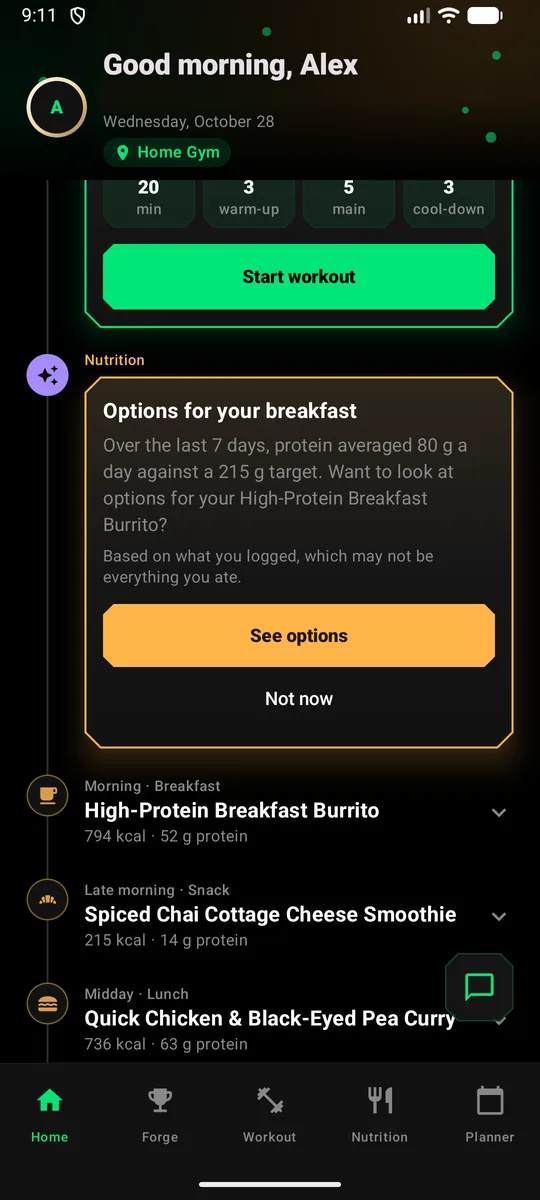
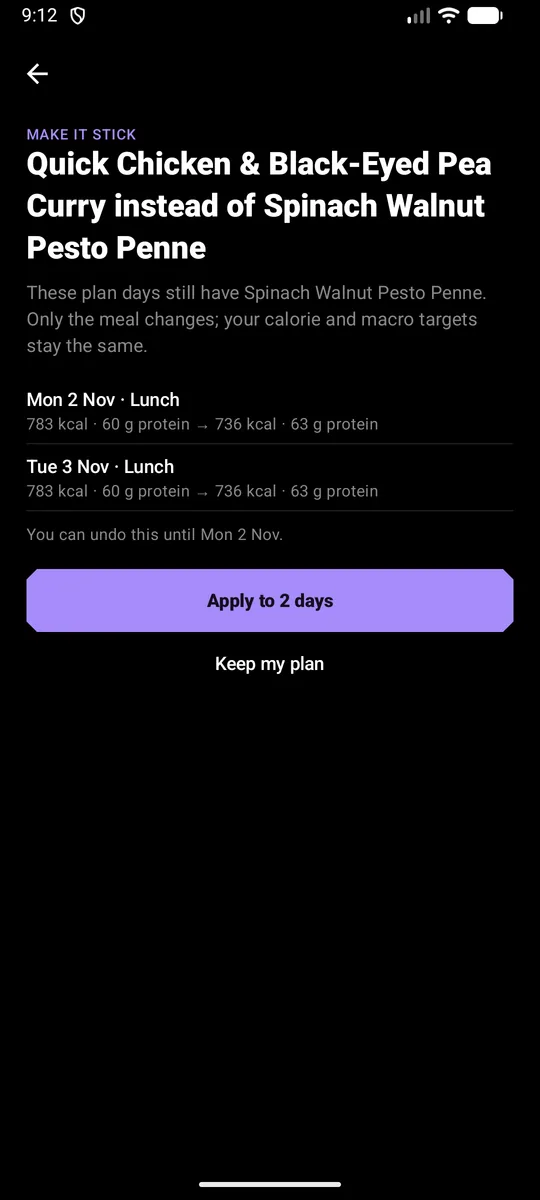
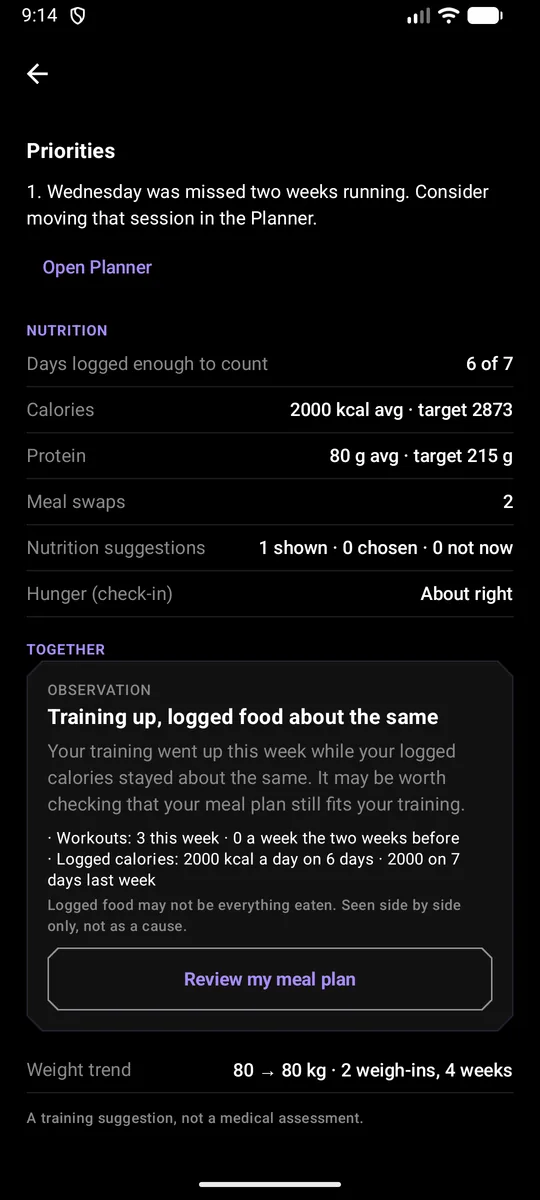
Logged food may not be everything you eat. Nutrition suggestions are general guidance, not medical or dietary advice.
Your progress continues through check-ins and weekly reviews, helping you understand what is changing over time.
Suggestions are training guidance, not a medical assessment.
Your guided workout, on your wrist.
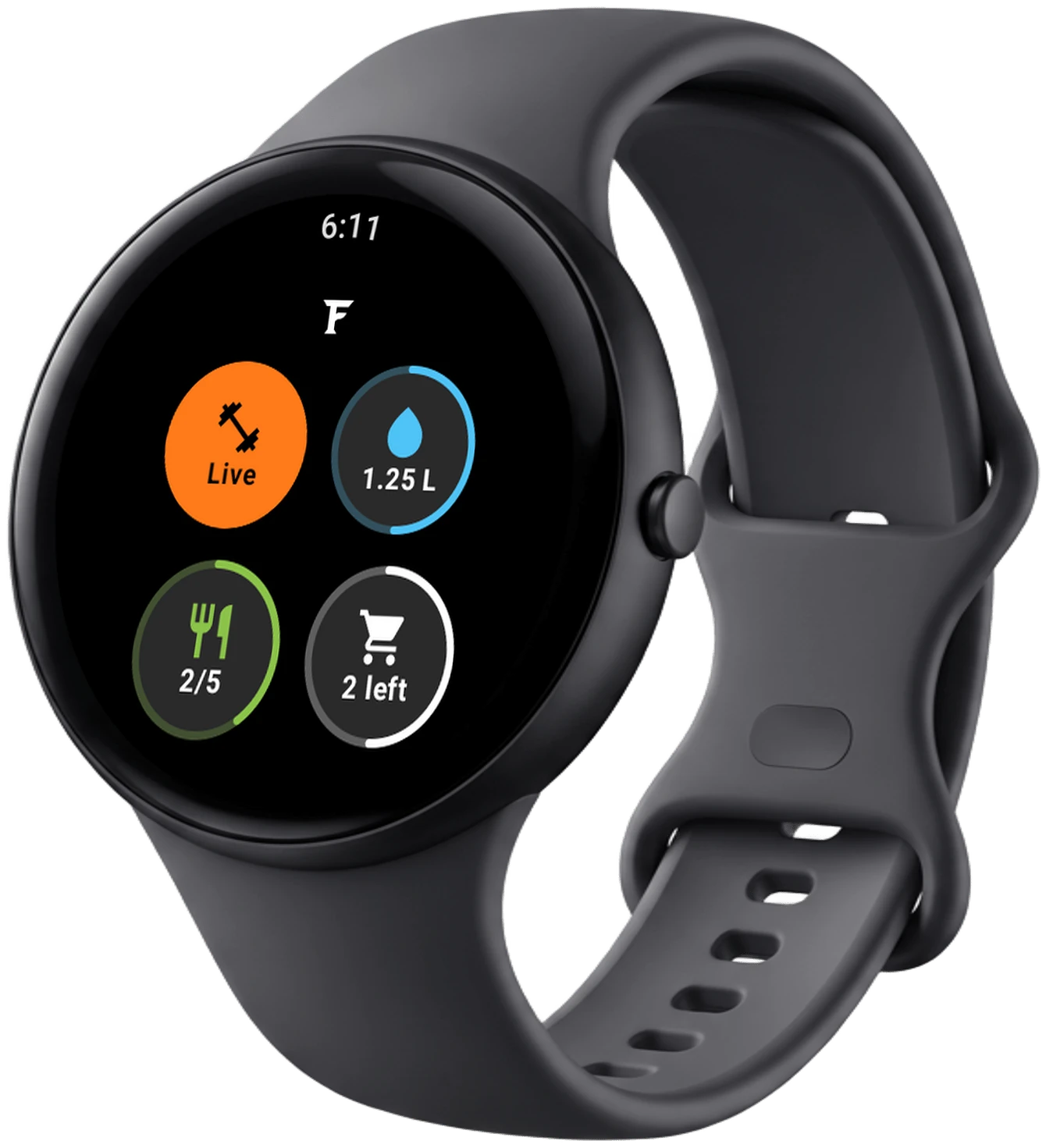
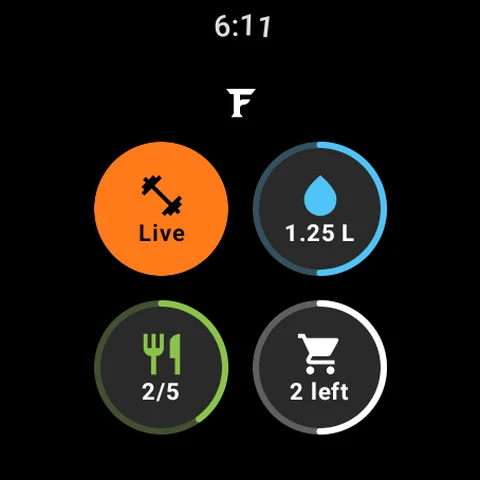
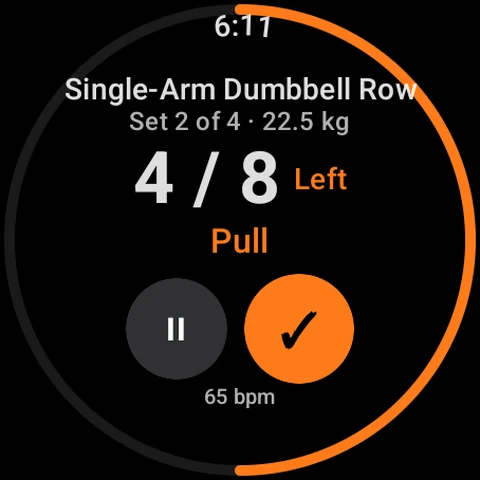
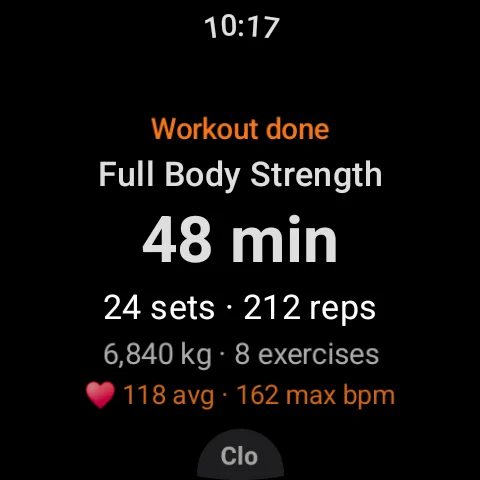
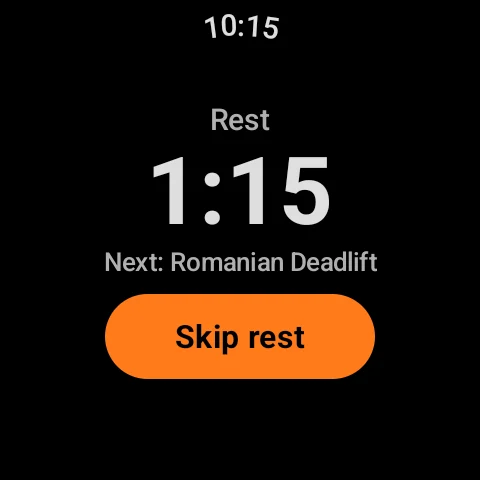
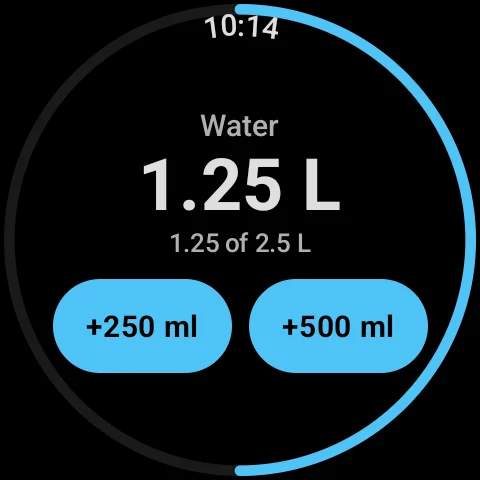
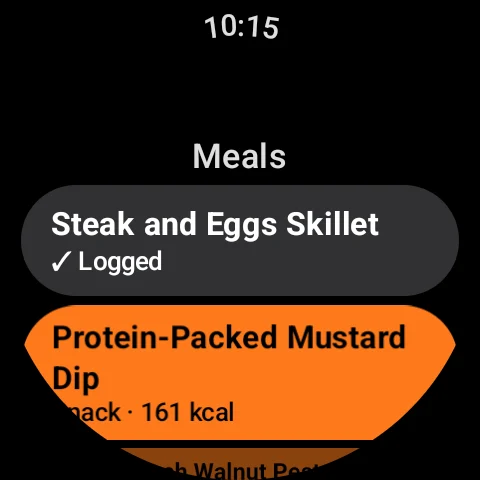
The Wear OS companion mirrors your guided workout from your phone, so you can follow a set, feel the tempo and log it without picking up your phone, with your day's water, meals and shopping list one tap away.
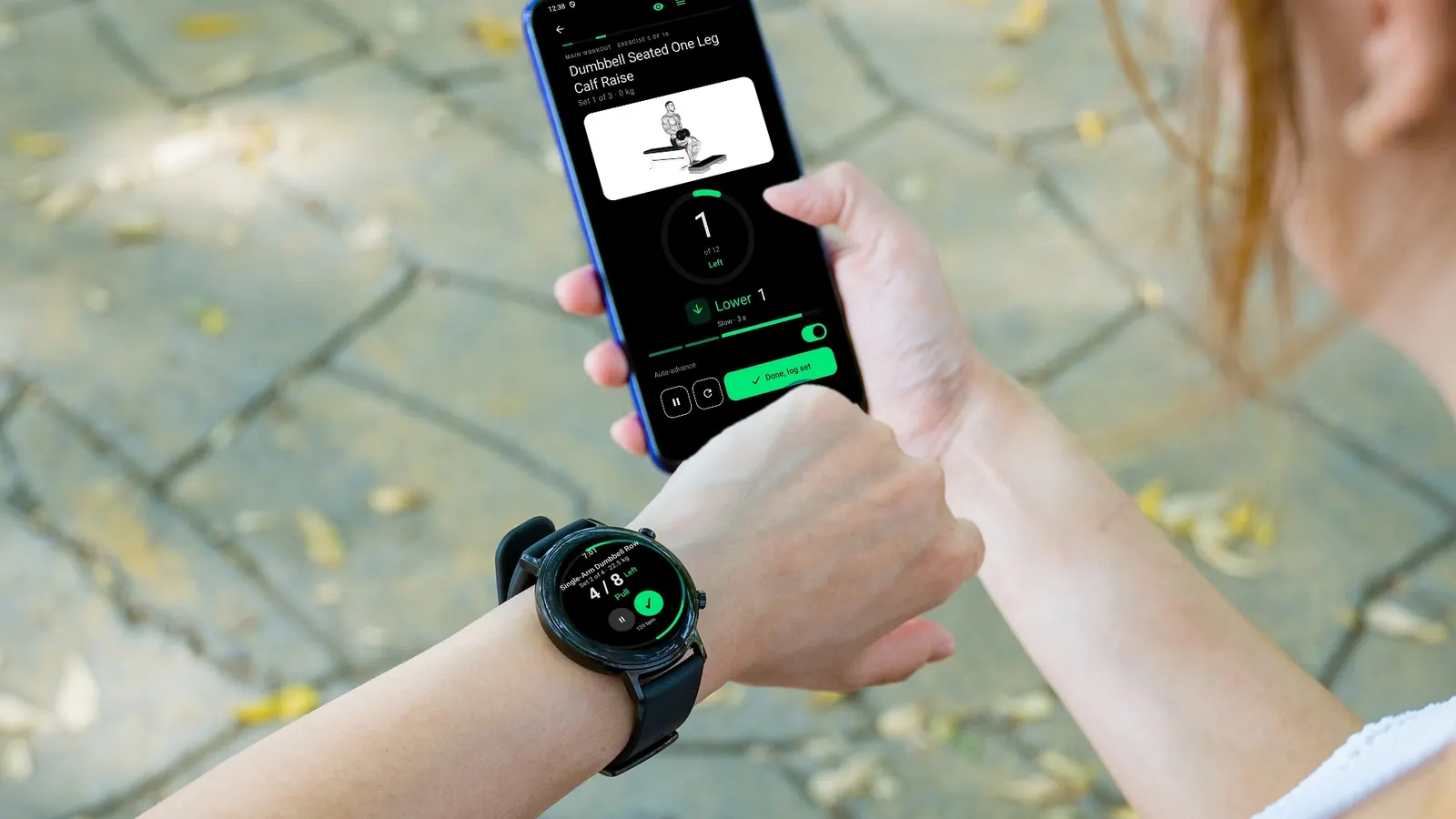
Every set at a glance
The exercise, set, load and rep count, side by side for one-sided work, with a ring that fills as you go.
Tempo you can feel
A distinct wrist vibration for each phase of the rep (lower, hold, drive) in step with the phone's guide.
Control it from the watch
Pause, resume, log the set, or pause and skip the rest; the phone follows.
Heart rate during the session
Your watch's heart rate streams to the phone while a guided session runs, and only then.
Water and meals from your wrist
Add a glass or a bottle of water, and log today's planned meals with one tap.
Your summary when you finish
Duration, sets, reps, volume and heart rate on the watch the moment the workout ends.
Needs a Wear OS 3+ watch paired with a phone running Fyvorin. Heart rate is optional and asks for your permission first. Workout values in these screens are sample data.
Your whole day, one timeline.
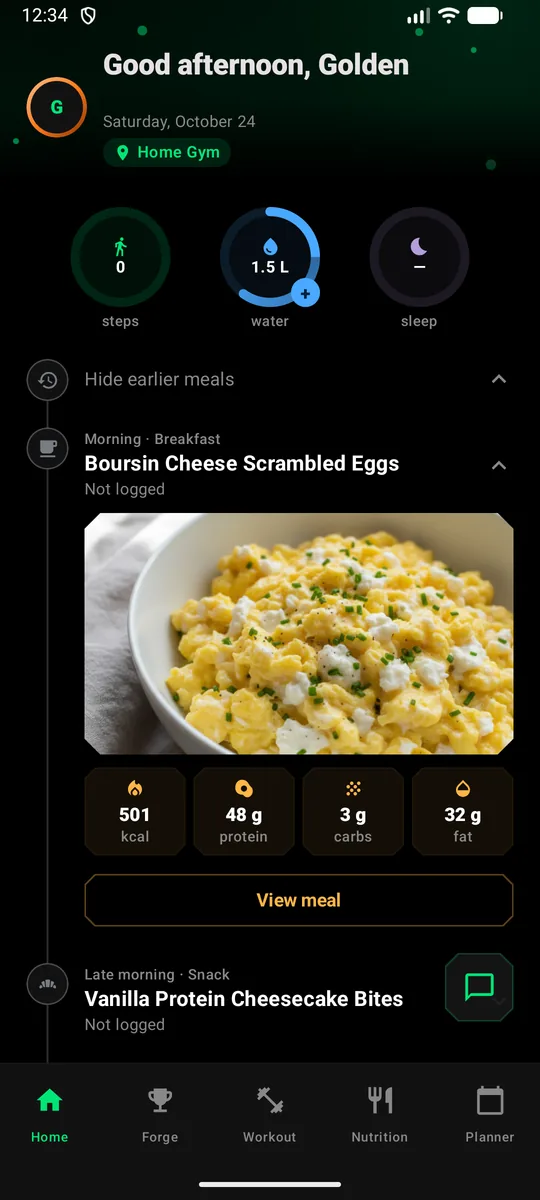
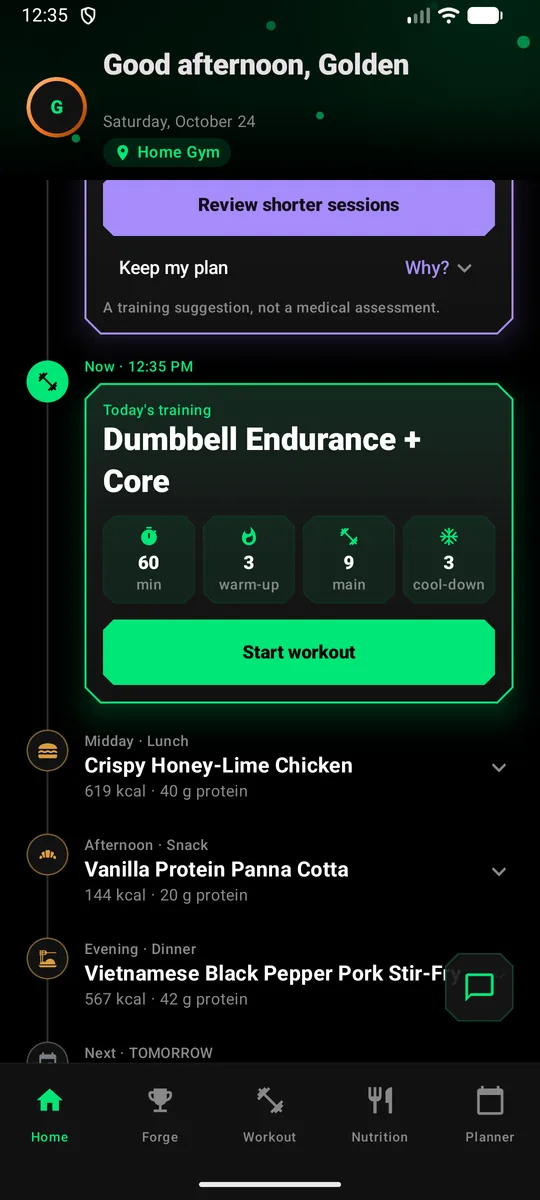
Home lays out today in order: meals by time of day, your workout as the thing to do now, and what's coming tomorrow. Tap anything to open it in place.
- A clear “Now” that moves through your day as you log meals and train
- Tap a meal for its photo and macros, or a workout for its breakdown
- Steps, water and sleep rings that open 7- and 30-day history
From your meal plan to the kitchen.
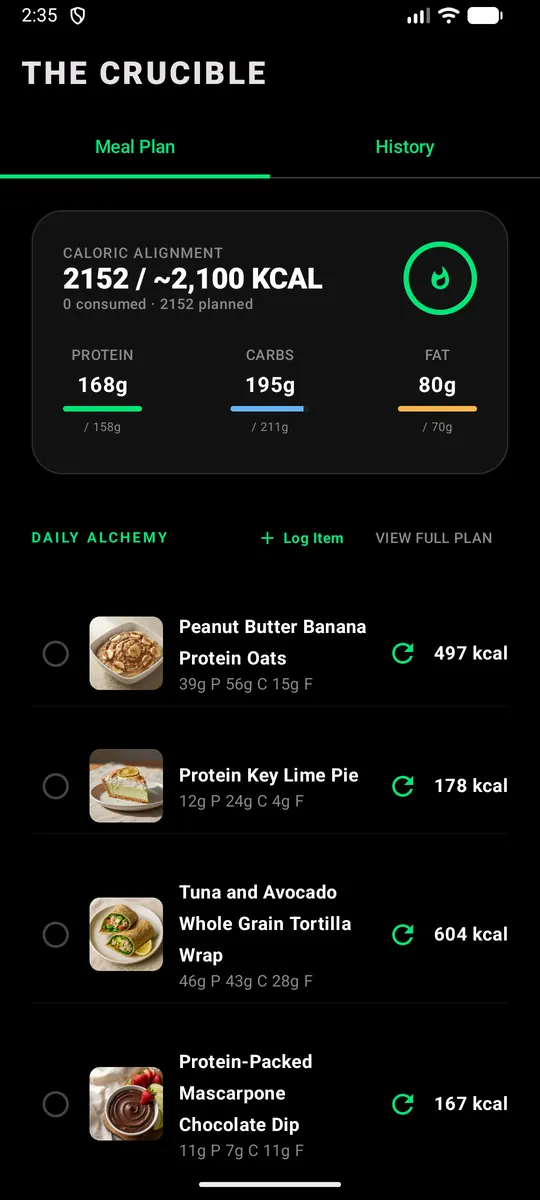
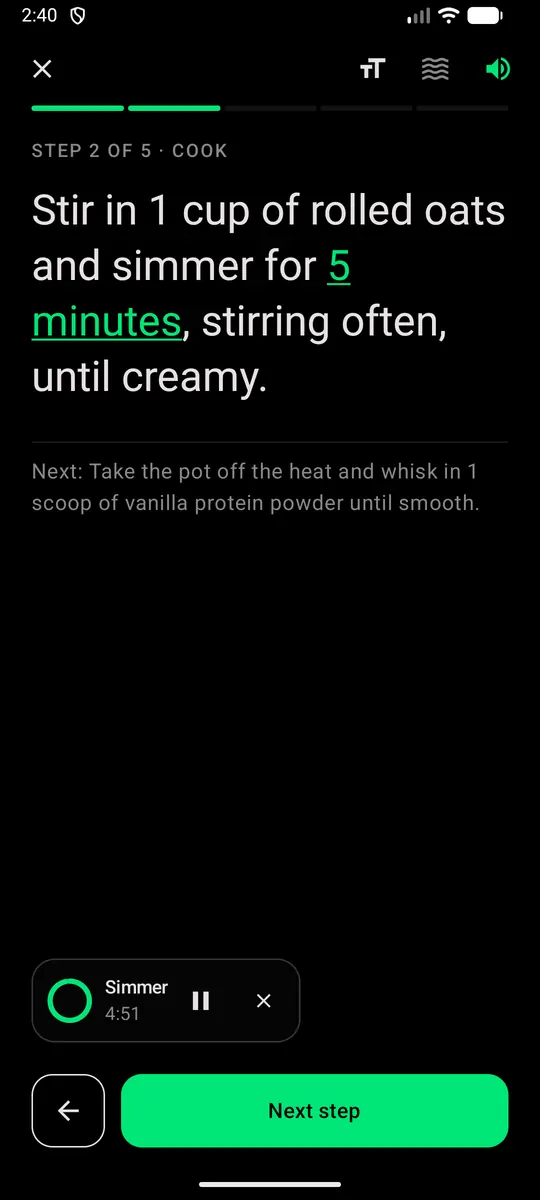
Meals that hit your targets, cooked step by step: a get-ready list, large readable steps, built-in timers, and one tap to log the meal when you're done.
- Real recipes, portioned to your daily estimate
- Large text you can read from the counter, with timers that keep running
- Logs to your day automatically when you finish
Your meal plan, turned into a shopping list.
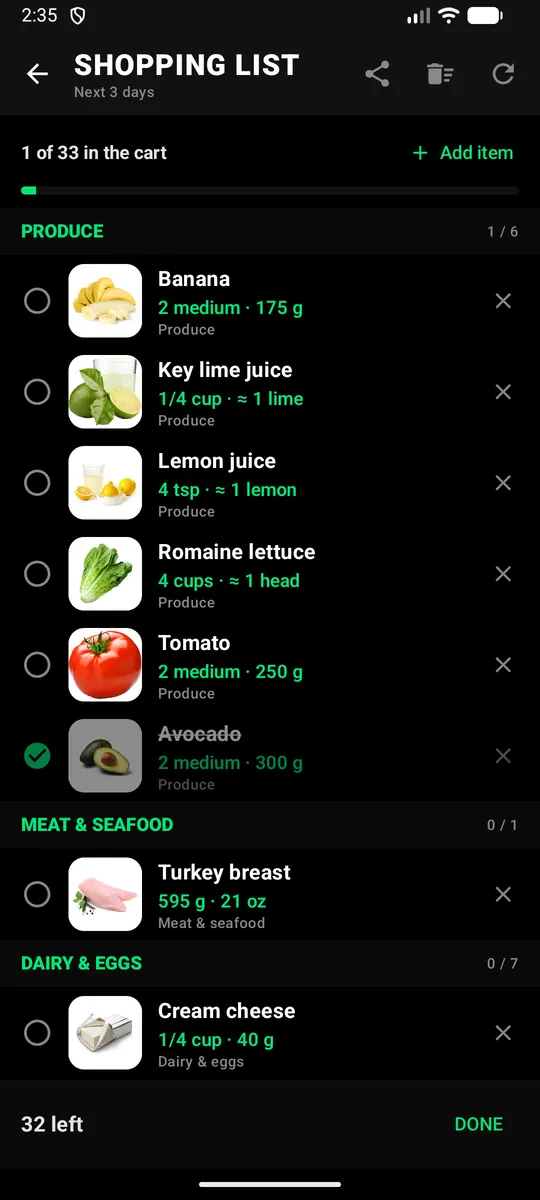
One list for the week or the next 3 days, built from your meals, sorted by store aisle, with amounts you can actually measure.
- A picture for every item and one line per food, grouped by aisle
- Weights next to cups and spoons, and how many to pick up for produce (“≈ 6 limes”)
- Tick, remove or add your own, or mark “I already have this” for two weeks
- Rebuilding keeps what you ticked, and the list notices when your meals change
- Share it with whoever does the shopping
Change the plan by just saying so.
Tell the Oracle what changed. It swaps exercises, reshapes a session to the time you have, logs what you ate and moves meals around, inside the rules of your plan.
Watch the work add up.
Every workout, step, night of sleep and weigh-in lands in one place, so the trend is easy to read and easy to stick with.
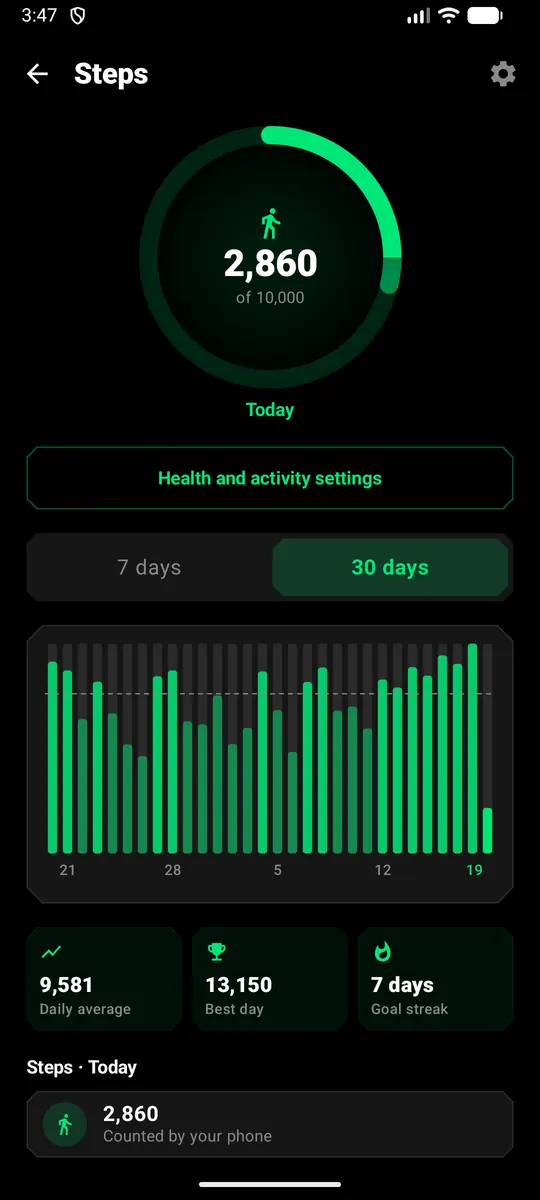
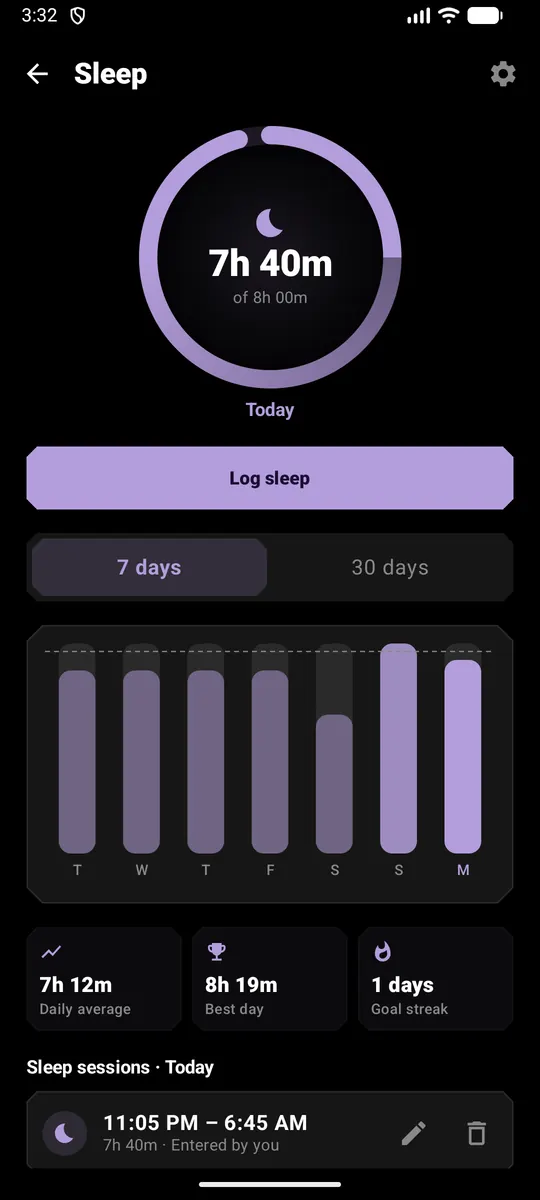
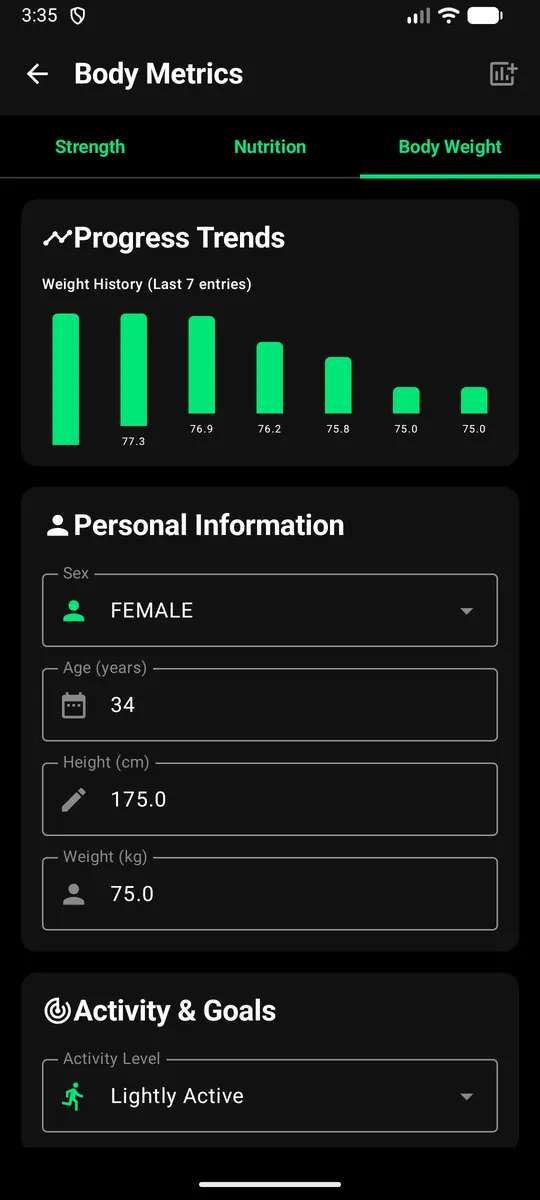
Screens from a test account with six weeks of sample data.
Earn your rank, keep the streak, share the win.
Badges unlock as you train, cook and recover, and every one adds Forge points that carry you up the Smith ranks. Your rank sits on your profile, next to this week's plan and your daily target.
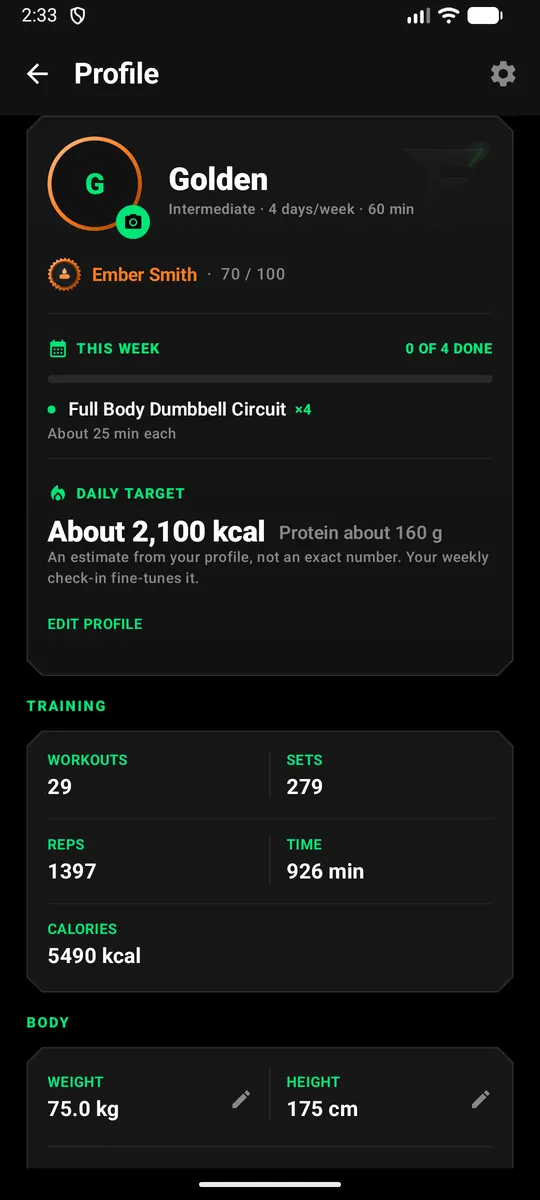
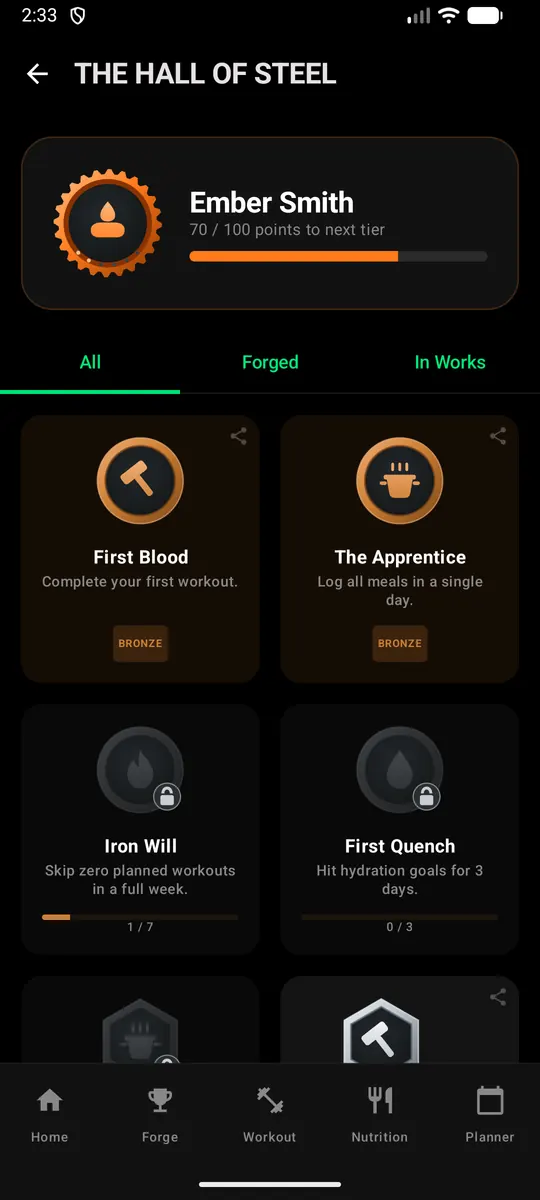
- 15 achievement badges in bronze, silver, gold and prismatic tiers
- Six Smith ranks, from Spark to Forge Master
- A “Forged today” card on Home the day you unlock one
- A weekly check-in in under two minutes, and 90-day trends for volume, consistency, weight and nutrition
Share stories, your way
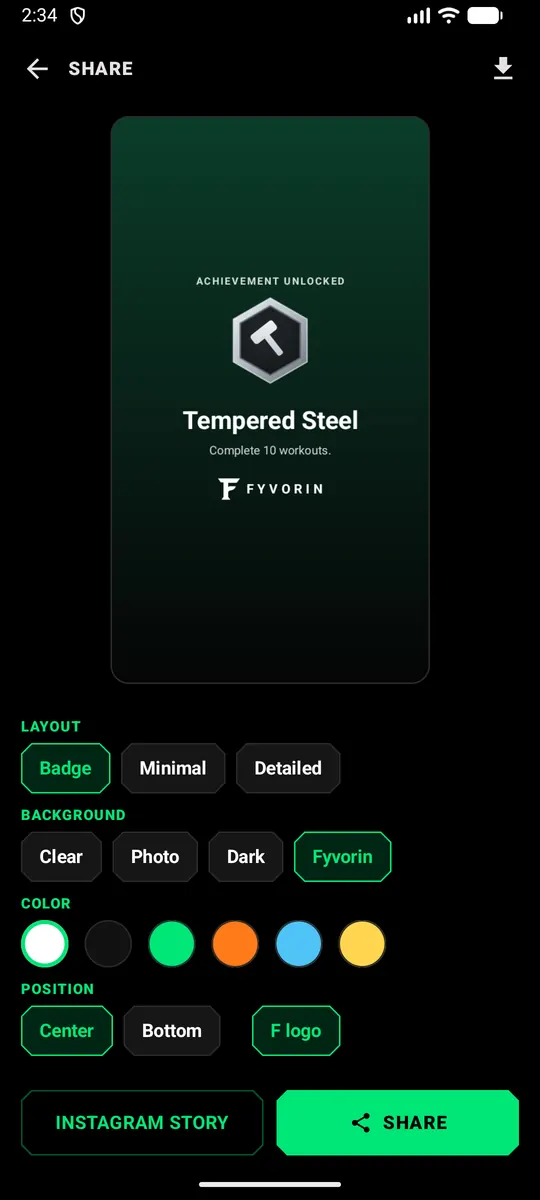
Share a badge or a workout as a story: badge, minimal or detailed layouts, a clear background to place over your own photo, the colors you like, always signed Fyvorin.
Built around you
The plan bends to your life, not the other way round.
Your goals
Strength, muscle, fat loss, endurance or maintenance, with a daily calorie and protein estimate to match.
Your equipment
Full gym, home dumbbells or bodyweight only, saved per place you train.
Your body
Injuries and health considerations shape every plan, with cycle-aware adjustments if you choose them.
Home, gym or hotel: the plan follows your equipment.
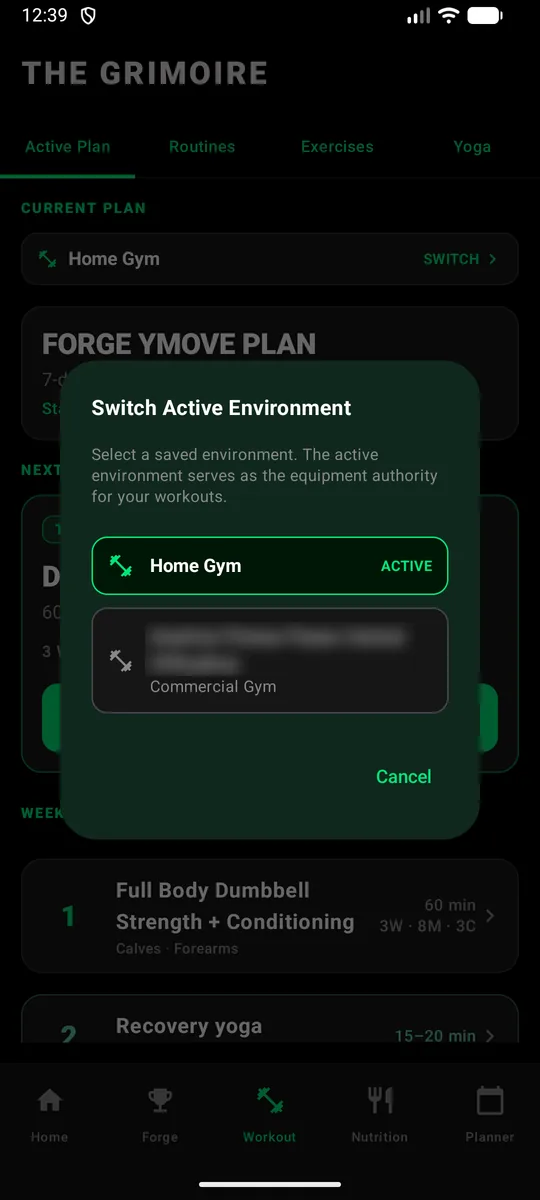
Save each place you train with the equipment it has. Switch the active place in a tap and your workouts are built from what's there, so a hotel gym or a dumbbells-only day still gets a real session.
- Home setups and commercial gyms, each with its own equipment
- Find your gym by name or nearby, or start from a typical gym
- Workouts and swaps use only what the active place has
Every day, in one place
Water
Log a glass or a bottle in one tap, get a goal based on your weight, and optional reminders when you fall behind.
Sleep
Your phone can notice when you sleep, and you confirm it each morning. Sleep from a watch or sleep app comes in through Health Connect.
Steps
Steps from your phone or Health Connect, next to the rest of your day, with daily and monthly history.
Health Connect on Android
Fyvorin reads steps and sleep from Health Connect on Android, so your watch or sleep app can fill in your day. You choose what it can read, and you can turn it off in Health Connect at any time.
Plans are built on structured exercise and nutrition data, including ExerciseDB and Spoonacular. AI personalizes and adapts them; it isn't the only source of the facts.
Your fitness data is yours
Built on privacy, transparency and data ownership.
Everything Fyvorin does, on one page.
Every feature, grouped by what you're doing: training, eating, recovering, and keeping track.
What's next
Fyvorin is in closed beta on Android, and keeps growing.
Health Connect
Steps and sleep from Health Connect on Android.
Apple Health
HealthKit support with the App Store release.
Help shape Fyvorin before launch
Fyvorin is in Closed Beta for Android. A limited number of testers use the app and send feedback directly to the team.
Coming first to Google Play. Apple App Store coming next.
Request Beta AccessThis opens your email app with a pre-filled message. Testers are added by the Google account they use on Google Play. No email app? Write to fyvorin-support@cyphersystemsapps.com.